

HAPPY TRAVEL SIM · eSIM
Where will this SIM take you?
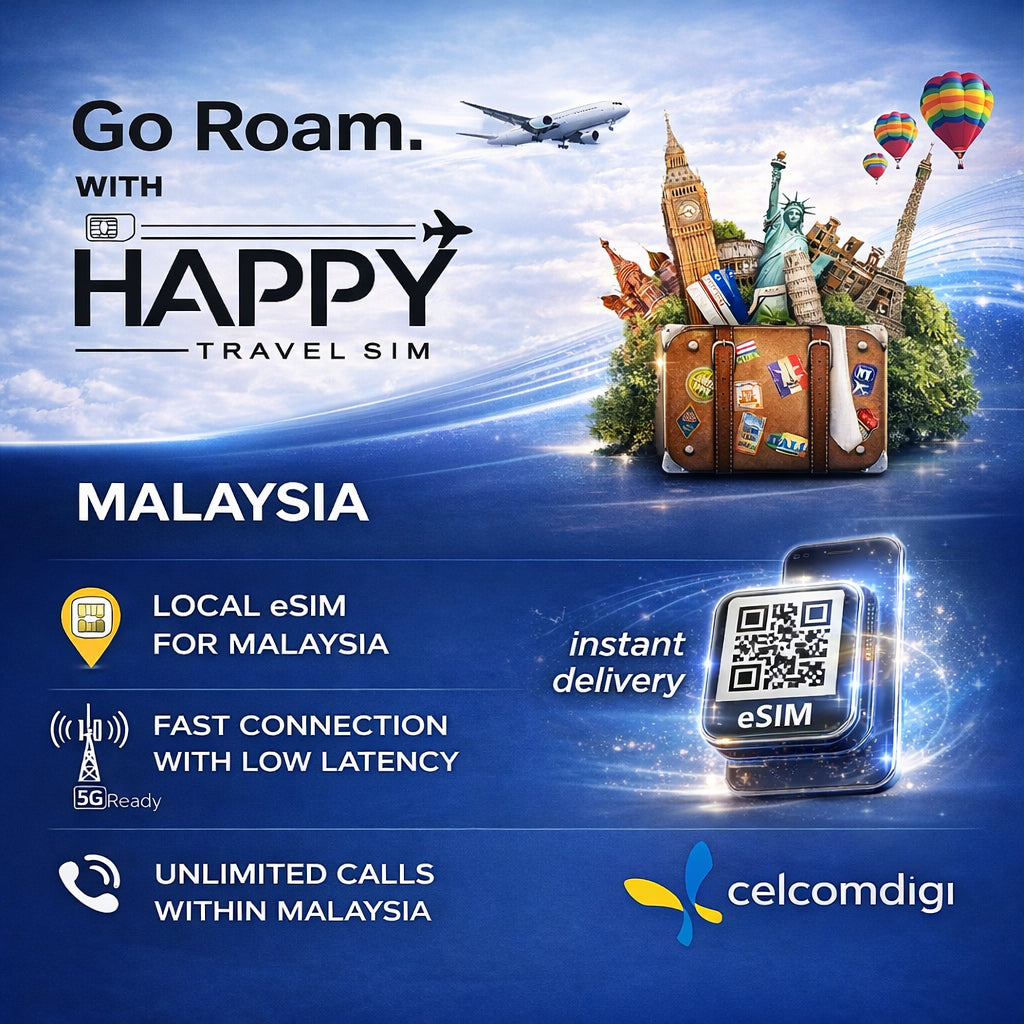
Malaysia · CelcomDigi eSIM
Check the selected plan's destination list ↓- Network / service
- CelcomDigi
- APN
- celcom3g
Important: treat the plan as offline once high-speed data is used. The system may still show 128kbps, but it is not suitable for normal browsing, navigation or video. Top up when needed.
HAPPY TRAVEL SIM · eSIM
Your data, clearly explained.
- Data allowance
- 5GB · total
- Plan duration
- 1 days
- After the high-speed allowance
- Effectively offline after high-speed data is used
- Hotspot sharing
- Supported
Important: treat the plan as offline once high-speed data is used. The system may still show 128kbps, but it is not suitable for normal browsing, navigation or video. Top up when needed.
HAPPY TRAVEL SIM · eSIM
Ready for your departure.

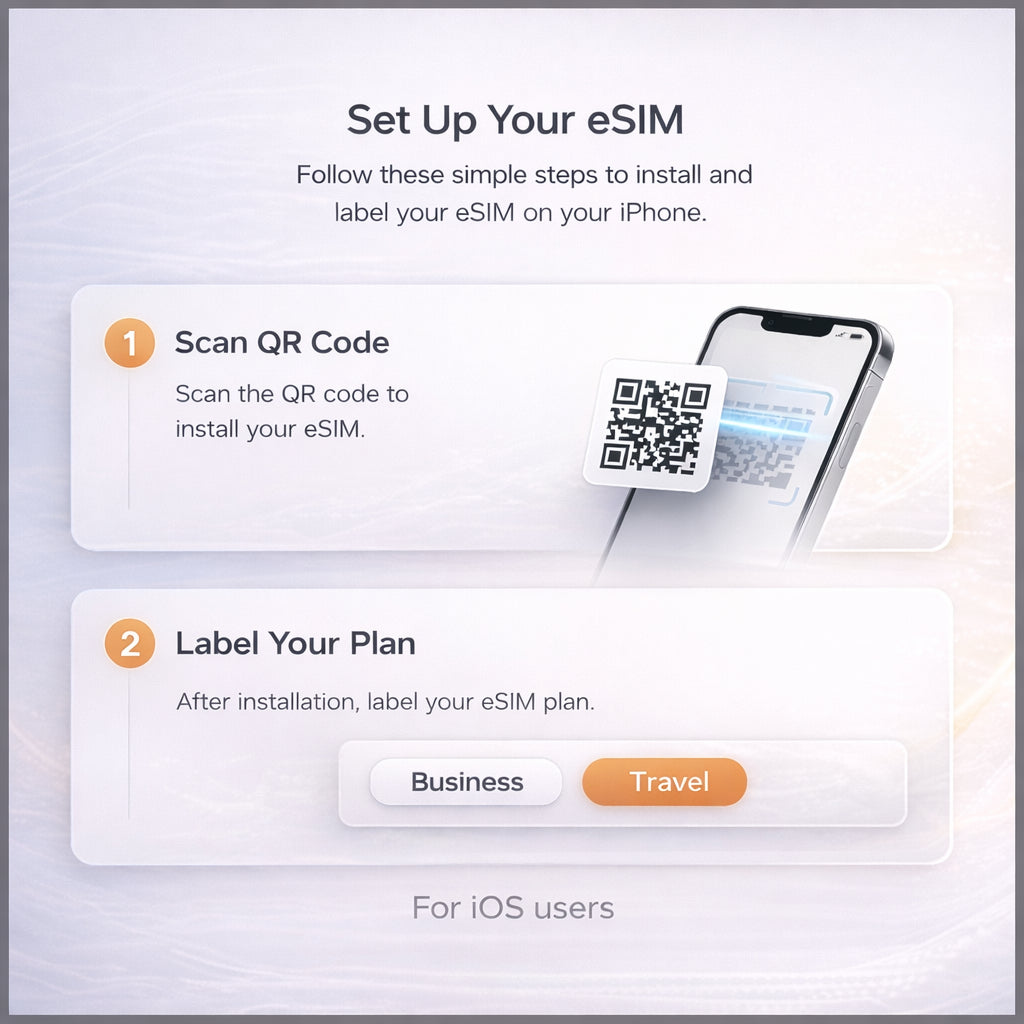
- Receive your QR by email
Check eSIM compatibility and network-unlocked status. Enter the correct email at checkout.
- Install with a stable connection
Follow the emailed instructions. Do not delete the eSIM when troubleshooting; contact us first.
- Follow your local plan's activation instructions
Use the travel SIM for data and keep data roaming OFF on your home SIM. Check the APN and contact us if you cannot connect.
Booked by arrival date: choose the day you arrive in Malaysia at checkout — we send your QR code about 48 hours before, and your arrival day is day 1.
More help:How to install an eSIM · FAQ · eSIM guides
Product photos & plan information


Before you choose a plan
What is the difference between a Daily plan and Total GB?
A Daily plan renews its daily high-speed allowance at the reset time stated for that product. Total GB is one high-speed data allowance shared across the whole validity period. Treat a Total plan as no longer usable once its high-speed allowance is exhausted. Do not rely on a 128kbps connection for normal internet use.
Does every eSIM start its validity when I reach the destination?
No. Activation rules vary by product. For the Malaysia CelcomDigi eSIM, choose your arrival date at checkout: we email the QR code about 48 hours before you land, and your plan days start on your arrival date. Roaming plans require data roaming to be switched on at the destination.
How are physical SIM cards delivered?
Physical SIM cards include free nationwide shipping within Malaysia and Thailand. Order early: public holidays, weather and courier delays can affect arrival. Choose a delivery address in one of these two countries and allow time before departure.
Is a local SIM the same as a roaming SIM?
No. Network access, setup and coverage depend on the specific plan. Follow the APN and activation instructions supplied with your order. Turn on data roaming for roaming plans, and check the listed countries and any excluded areas before buying.
Where it works
Malaysia · CelcomDigi
CelcomDigi local Malaysia eSIM, with local calls as specified by your plan. This is not the same service as a data-only roaming eSIM.
Delivery & setup
Your eSIM QR code is sent to the email entered at checkout. Check device compatibility before ordering; install with a stable internet connection and do not delete it when troubleshooting.
Booked by arrival date: choose the day you arrive in Malaysia at checkout — we send your QR code about 48 hours before, and your arrival day is day 1.
Actual signal and speed vary by location, device and network conditions.
Full product specifications
Malaysia 5G Tourist eSIM powered by CelcomDigi.
✔ eSIM only (no physical SIM card)
✔ Local Malaysia eSIM – not a roaming eSIM
✔ Direct connection to Malaysia’s local network
✔ Full 5G support (coverage depends on location)
✔ Light data plans available
✔ eSIM QR code emailed about 48 hours before you land
✔ One-time installation only – cannot be reinstalled if deleted
🇲🇾 Why Choose This Malaysia Local eSIM?
✔ No data roaming required – connects directly to local network
✔ Better speed & stability than international roaming eSIMs
✔ Lower latency for video calls, navigation & daily use
✔ Transparent pricing with no hidden charges
✔ Nationwide coverage across Malaysia
Coverage includes:
Kuala Lumpur, Penang, Ipoh, Langkawi, Malacca, Johor, Sabah, Sarawak & more.
📞 Calls & Usage
✔ Unlimited local calls on all plans (VoLTE supported)
✔ Suitable for travel, work & long stays in Malaysia
Important Notes:
📅 Book by arrival date
Choose the date you arrive in Malaysia when you order. We email your eSIM QR code about 48 hours before you land (right away if you arrive within 2 days). Your plan days start on your arrival date (Malaysia time). Travel dates changed? Use the link in your confirmation email any time before the QR is sent.
📶 Strong Wi-Fi Required for eSIM Installation
A stable and strong Wi-Fi connection is mandatory when scanning and installing the eSIM.
Installation attempts on weak or unstable networks may fail and cannot be reversed or retried.
⚙️ APN: celcom3g — no username/password, no authentication. Most phones set this automatically; if you have no data after installing, add it manually under Mobile Data → APN.
📩 Delivery
Your eSIM QR code is emailed about 48 hours before your arrival date (right away if you arrive within 2 days).
Please ensure a valid email address is provided at checkout.
❓ Activation & Installation FAQ
I haven't received my QR code yet.
It is emailed about 48 hours before your arrival date (right away if you arrive within 2 days). Please also check your spam folder.
The QR code won't scan or the installation failed.
Your phone must support eSIM and be carrier-unlocked — dial *#06#; if you see an EID, eSIM is supported. Install on strong, stable Wi-Fi. If it still fails, contact us before trying again.
Installed, but no signal or data in Malaysia.
Turn on the CelcomDigi line and select it for Mobile Data. Toggle Airplane Mode on and off, or restart your phone. If needed, set the APN to celcom3g (no username or password).
Still not working?
Contact us with your order number and a screenshot — WhatsApp (button on this page) or support@happytravelsim.com. ⚠️ Do NOT delete the eSIM: it can only be installed once. If our support team confirms a fault that cannot be fixed, you can request a refund review under our Refund Policy.




Internet Speed:connection is stable
Network Coverage:coverage is strong and stable in town area
Good coverage in town area
— Verified buyer
Yesterday, I walked through a quiet park while watching colorful birds fly above the trees, children laugh near the playground, cyclists pass by, clouds slowly move across the sky, and the warm afternoon sunlight shine beautifully, making everything around me feel peaceful, relaxing, cheerful, and surprisingly magical.
— Verified buyer
Internet Speed:connection is fast and stable
Network Coverage:strong coverage
Fast delivery. Strong and stable coverage
— Verified buyer
Internet Speed:the connection is fast and stable
Network Coverage:good coverage
Coverage to city place. Fast and stable internet
— Verified buyer
Speed wasn’t bad! Though it was expensive I still
Have to purchase as my data is almost used up
— Verified buyer
Internet Speed:The connection is fast and stable for browsing and gaming
Network Coverage:Coverage is reliable across most areas in Malaysia
Thank you so much seller… highly recommended buy from this seller. Never disappointed. For sure will repeat purchases this month again
— Verified buyer
Internet Speed:the connection is fast and stable
Network Coverage:good coverage
Fast respond. Responsible seller.
— Verified buyer
Internet Speed:The connection is fast and stable for browsing and gaming
Network Coverage:The coverage is reliable across most areas in Malaysia
So sorry the video n pic not related. Kept repeating buying e-sim from this seller
— Verified buyer
Good fast delivered into my email. Qr easy to setup in iPhone. Cheap and good
— Verified buyer
Internet Speed:good
Network Coverage:fast
mudah untuk setup. beli utk wifi tablet buat sementara. murah dan recomended seller
— Verified buyer
Terbaik lah barang betul² jadi..speed kaw³ cuma nk tunggu dpt id lama gila ..yang lain ok
— Verified buyer
Good reliable and trustworthy will definitely order again. Just want free coin so photos and videos have no link.
— Verified buyer
Auti terus dapat qr di email. Sangat memudahkan . Tq seller 🤗 trusted seller
— Verified buyer
Fast delivery to my email. Qr is easy to scan in iphone. Number can use for whatsapp
— via Shopee MY
Got the QR within seconds after payment. Easy to setup. Number can use for WhatsApp
— via Shopee MY
Internet Speed:good
Installation:easy
Well received. Very easy to setup. Internet line is stable. Will repeat purchase if needed.
— via Shopee MY
Network Coverage:very good product.. easy to use easy to connect.. internet very fast and stable
— via Shopee MY
Internet Speed:good
Network Coverage:strong
— via Shopee MY
Good product, good quality, fast delivery, good seller attitude
— via Shopee MY
FAST , CHEAP , AND GOOD RESPONSE FOR SELLER . HELP ME CAUSE IDK HOW TO DO IT THANKYOU !
— via Shopee MY
Internet Speed:What others get is what you get haha
Network Coverage:Same lah
For this seller excellent. Everything done less than an hour.
Connectivity always depends on carrier.
Overall good.
— via Shopee MY
Internet Speed:the connection is strong and stable
Network Coverage:coverage covers all in town area
Stable and reliable.
— via Shopee MY
This is my preferred seller for this item, line was fine most times though had moments suddenly not connected. Still prefer as is more reliable than others I tried.
— via Shopee MY