略過產品資訊
1 / 12

Malaysia Tourist eSIM | Lite · Max · Malaysia + SEA Roaming | Local Number + Calls + 5G

Malaysia Tourist eSIM | Lite · Max · Malaysia + SEA Roaming | Local Number + Calls + 5G

定價 RM26.90 MYR
定價 售價 RM26.90 MYR
售價 RM21.52 MYR 定價 RM26.90 MYR -20%
特價 售罄
結帳時計算運費。

1選擇您的方案

2出行天數?

Package
已選方案 Lite · 3天 · 6GB

請選擇您的抵達日期。我們將在抵達前約 48 小時(如在 2 天內抵達則立即)發送 eSIM QR 碼,方案天數自您抵達當日起算。

選填 — 出遊更貼心:除電郵外,亦可直接在 WhatsApp 接收 eSIM QR 碼及抵達提醒。

Malaysia Tourist eSIM — CelcomDigi local network

A local Malaysian eSIM (not a roaming eSIM) on CelcomDigi, Malaysia's widest 5G/4G network. Every plan includes a Malaysian phone number with unlimited local calls — handy for drivers, hotels and emergencies (999).

Choose your plan

  • Lite — light data for short stays: 6GB (3 days) up to 100GB (30 days).
  • Max — big data for streaming, maps and hotspot: 30GB (3 days) up to 300GB (30 days).
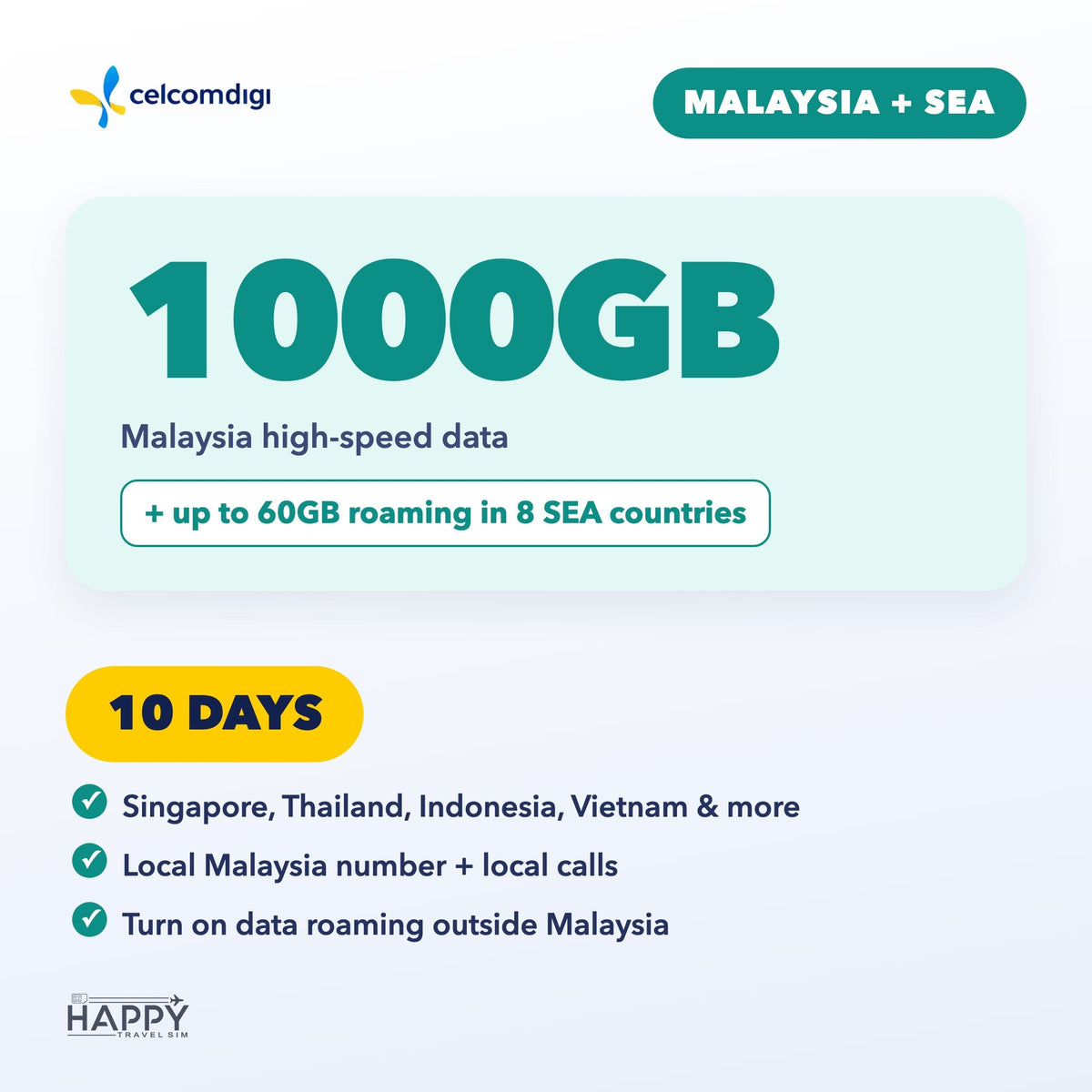
  • Malaysia + SEA — Malaysia data plus up to 60GB roaming in Singapore, Thailand, Indonesia, Vietnam, Philippines, Cambodia, Laos & Brunei. 3, 5, 7, 10, 15 or 30 days.

Book by arrival date

  1. Pick the date you arrive in Malaysia when you order.
  2. We email your eSIM QR code about 48 hours before you land (right away if you arrive within 2 days). Add your WhatsApp number (optional) to get it there too.
  3. Install the eSIM on strong Wi-Fi before you fly — do not delete it after installing.
  4. Your plan days start on your arrival date (Malaysia time). Travel dates changed? Use the link in your confirmation email any time before the QR is sent.

Good to know

  • Your phone must support eSIM and be carrier-unlocked. Dial *#06# — if you see an EID, your phone supports eSIM.
  • Malaysia + SEA: outside Malaysia, turn on Data Roaming. APN: celcom3g.
  • For travel data and calls only — it can't be used to register local apps or e-wallets, or to receive verification codes (OTP/TAC).
  • Questions? support@happytravelsim.com

❓ Activation & Installation FAQ

I haven't received my QR code yet.
It is emailed about 48 hours before your arrival date (right away if you arrive within 2 days). Please also check your spam folder.

The QR code won't scan or the installation failed.
Your phone must support eSIM and be carrier-unlocked — dial *#06#; if you see an EID, eSIM is supported. Install on strong, stable Wi-Fi. If it still fails, contact us before trying again.

Installed, but no signal or data in Malaysia.
Turn on the CelcomDigi line and select it for Mobile Data. Toggle Airplane Mode on and off, or restart your phone. If needed, set the APN to celcom3g (no username or password).

Using it outside Malaysia (Malaysia + SEA plan)?
Turn on Data Roaming in your phone settings.

Still not working?
Contact us with your order number and a screenshot — WhatsApp (button on this page) or support@happytravelsim.com. ⚠️ Do NOT delete the eSIM: it can only be installed once. If our support team confirms a fault that cannot be fixed, you can request a refund review under our Refund Policy.

查看完整資訊

選購套餐前先看

每日流量與總量 Total GB 有什麼不同?

每日流量套餐會在商品所列的重置時間更新當天高速額度;Total GB 是整個有效期共用的高速流量總額。Total 高速流量用完後,請視為無法正常上網,不要依賴 128kbps 低速連線繼續使用。

所有 eSIM 都是抵達目的地才開始計算有效期嗎?

不是,各商品啟用規則不同。馬來西亞 CelcomDigi eSIM 下單時選擇抵達日期,我們會在抵達前約 48 小時寄出 QR 碼,套餐天數從抵達當天開始計算。漫遊型套餐需要在目的地開啟數據漫遊。

實體 SIM 卡如何配送?

實體卡在馬來西亞及泰國全國免運。請提早訂購:國定假日、天氣及物流延誤可能影響送達時間。收件地址須位於這兩個國家之一,並請預留出發前收貨的時間。

原生卡和漫遊卡是一樣的嗎?

不一樣。實際網路、設定和覆蓋取決於所選套餐,請按照訂單提供的 APN 及啟用說明操作。漫遊型套餐需要開啟數據漫遊,購買前請核對支援國家及不涵蓋的地區。

Malaysia Tourist eSIM — CelcomDigi local network

A local Malaysian eSIM (not a roaming eSIM) on CelcomDigi, Malaysia's widest 5G/4G network. Every plan includes a Malaysian phone number with unlimited local calls — handy for drivers, hotels and emergencies (999).

Choose your plan

  • Lite — light data for short stays: 6GB (3 days) up to 100GB (30 days).
  • Max — big data for streaming, maps and hotspot: 30GB (3 days) up to 300GB (30 days).
  • Malaysia + SEA — Malaysia data plus up to 60GB roaming in Singapore, Thailand, Indonesia, Vietnam, Philippines, Cambodia, Laos & Brunei. 3, 5, 7, 10, 15 or 30 days.

Book by arrival date

  1. Pick the date you arrive in Malaysia when you order.
  2. We email your eSIM QR code about 48 hours before you land (right away if you arrive within 2 days). Add your WhatsApp number (optional) to get it there too.
  3. Install the eSIM on strong Wi-Fi before you fly — do not delete it after installing.
  4. Your plan days start on your arrival date (Malaysia time). Travel dates changed? Use the link in your confirmation email any time before the QR is sent.

Good to know

  • Your phone must support eSIM and be carrier-unlocked. Dial *#06# — if you see an EID, your phone supports eSIM.
  • Malaysia + SEA: outside Malaysia, turn on Data Roaming. APN: celcom3g.
  • For travel data and calls only — it can't be used to register local apps or e-wallets, or to receive verification codes (OTP/TAC).
  • Questions? support@happytravelsim.com

❓ Activation & Installation FAQ

I haven't received my QR code yet.
It is emailed about 48 hours before your arrival date (right away if you arrive within 2 days). Please also check your spam folder.

The QR code won't scan or the installation failed.
Your phone must support eSIM and be carrier-unlocked — dial *#06#; if you see an EID, eSIM is supported. Install on strong, stable Wi-Fi. If it still fails, contact us before trying again.

Installed, but no signal or data in Malaysia.
Turn on the CelcomDigi line and select it for Mobile Data. Toggle Airplane Mode on and off, or restart your phone. If needed, set the APN to celcom3g (no username or password).

Using it outside Malaysia (Malaysia + SEA plan)?
Turn on Data Roaming in your phone settings.

Still not working?
Contact us with your order number and a screenshot — WhatsApp (button on this page) or support@happytravelsim.com. ⚠️ Do NOT delete the eSIM: it can only be installed once. If our support team confirms a fault that cannot be fixed, you can request a refund review under our Refund Policy.