요금제 선택 전 확인
일일 데이터와 총량 Total GB는 어떻게 다른가요?
일일 데이터 요금제는 상품에 표시된 초기화 시각에 하루 고속 데이터 한도가 갱신됩니다. Total GB는 유효기간 전체에 걸쳐 사용하는 고속 데이터 총량입니다. 총량을 모두 사용하면 정상적인 인터넷 이용이 끝난 것으로 생각해 주세요. 128kbps 저속 연결로 계속 이용할 수 있다고 기대하지 마세요.
모든 eSIM은 여행지에 도착해야 유효기간이 시작되나요?
아닙니다. 시작 조건은 상품마다 다릅니다. 말레이시아 CelcomDigi eSIM은 주문 시 도착일을 선택하시면 도착 약 48시간 전에 QR 코드를 이메일로 보내 드리며, 요금제 일수는 도착일부터 계산됩니다. 로밍형 요금제는 여행지에서 데이터 로밍을 켜야 합니다.
실물 SIM은 어떻게 배송되나요?
실물 SIM은 말레이시아와 태국 내 전국 무료 배송입니다. 공휴일, 날씨, 배송사 지연으로 도착이 늦어질 수 있으니 미리 주문하세요. 배송지는 두 국가 중 한 곳이어야 하며 출국 전에 받을 수 있도록 여유를 두세요.
현지 SIM과 로밍 SIM은 같은가요?
아닙니다. 이용 네트워크, 설정, 지원 지역은 선택한 요금제에 따라 다릅니다. 주문과 함께 제공되는 APN 및 개통 안내를 따르세요. 로밍형 요금제는 데이터 로밍을 켜야 하며 구매 전에 지원 국가와 제외 지역을 확인하세요.
Malaysia Tourist eSIM — CelcomDigi local network
A local Malaysian eSIM (not a roaming eSIM) on CelcomDigi, Malaysia's widest 5G/4G network. Every plan includes a Malaysian phone number with unlimited local calls — handy for drivers, hotels and emergencies (999).
Choose your plan
- Lite — light data for short stays: 6GB (3 days) up to 100GB (30 days).
- Max — big data for streaming, maps and hotspot: 30GB (3 days) up to 300GB (30 days).
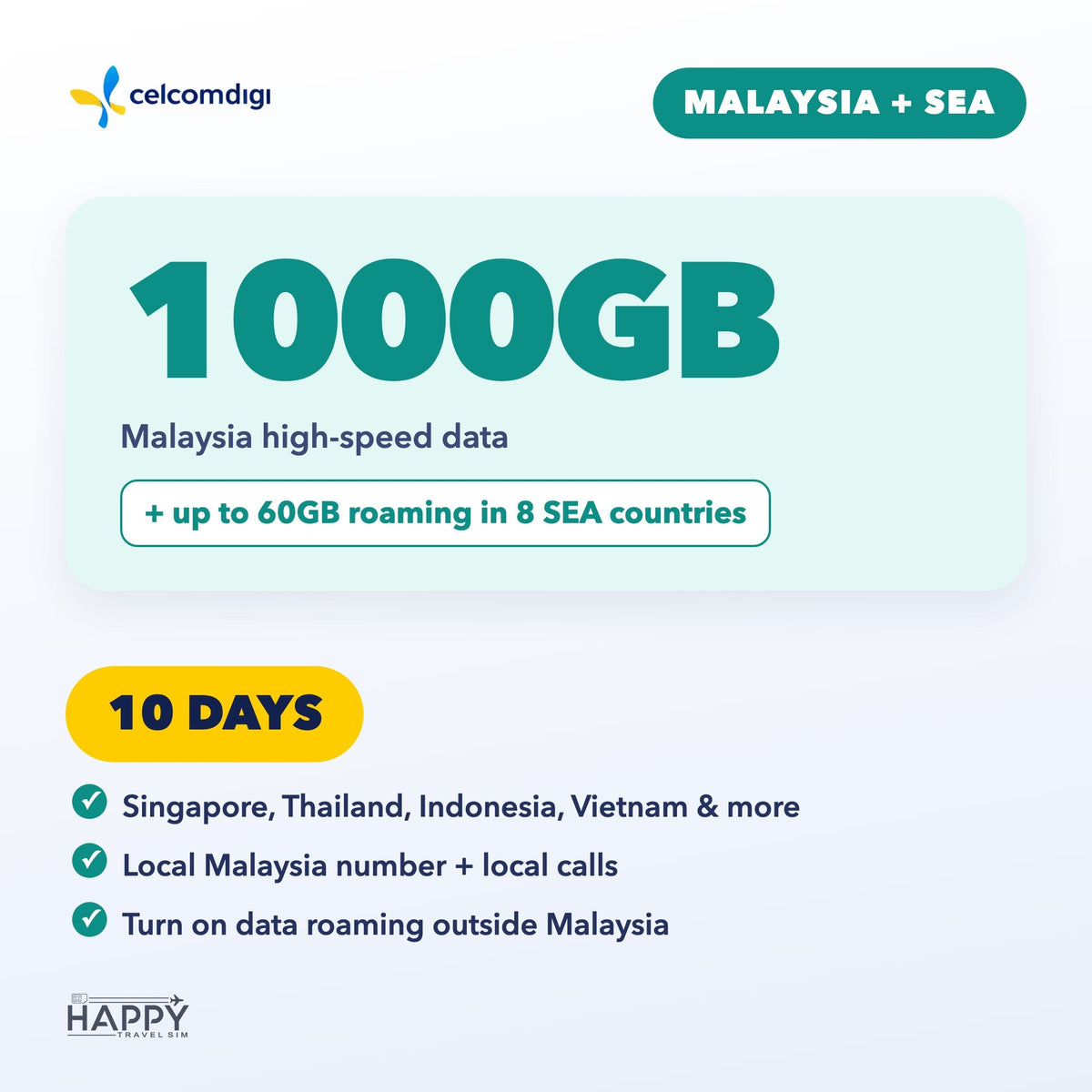
- Malaysia + SEA — Malaysia data plus up to 60GB roaming in Singapore, Thailand, Indonesia, Vietnam, Philippines, Cambodia, Laos & Brunei. 3, 5, 7, 10, 15 or 30 days.
Book by arrival date
- Pick the date you arrive in Malaysia when you order.
- We email your eSIM QR code about 48 hours before you land (right away if you arrive within 2 days). Add your WhatsApp number (optional) to get it there too.
- Install the eSIM on strong Wi-Fi before you fly — do not delete it after installing.
- Your plan days start on your arrival date (Malaysia time). Travel dates changed? Use the link in your confirmation email any time before the QR is sent.
Good to know
- Your phone must support eSIM and be carrier-unlocked. Dial *#06# — if you see an EID, your phone supports eSIM.
- Malaysia + SEA: outside Malaysia, turn on Data Roaming. APN: celcom3g.
- For travel data and calls only — it can't be used to register local apps or e-wallets, or to receive verification codes (OTP/TAC).
- Questions? support@happytravelsim.com
❓ Activation & Installation FAQ
I haven't received my QR code yet.
It is emailed about 48 hours before your arrival date (right away if you arrive within 2 days). Please also check your spam folder.
The QR code won't scan or the installation failed.
Your phone must support eSIM and be carrier-unlocked — dial *#06#; if you see an EID, eSIM is supported. Install on strong, stable Wi-Fi. If it still fails, contact us before trying again.
Installed, but no signal or data in Malaysia.
Turn on the CelcomDigi line and select it for Mobile Data. Toggle Airplane Mode on and off, or restart your phone. If needed, set the APN to celcom3g (no username or password).
Using it outside Malaysia (Malaysia + SEA plan)?
Turn on Data Roaming in your phone settings.
Still not working?
Contact us with your order number and a screenshot — WhatsApp (button on this page) or support@happytravelsim.com. ⚠️ Do NOT delete the eSIM: it can only be installed once. If our support team confirms a fault that cannot be fixed, you can request a refund review under our Refund Policy.